






 Manifest
Every screen, state and flow, mapped out.
Find any screen, track changes between builds & share the exact context with your team or agent.
Manifest
A shared map of your mobile app’s screens and flows for your team and coding agents. See how features work, where users get stuck, and what changed between versions.


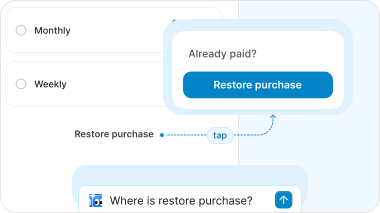
So a simple question like Where did restore purchases go? eats up an afternoon of digging through 


 and asking around. And by the time you've figured it out, 7.25 is already out.
We’re mapping well-known apps and publishing the maps. Study how their onboarding, paywalls and checkouts work, screen by screen.
Browse public maps . Learn from users with
 . Verify every change with
 .
Manifest
Find any screen, track changes between builds & share the exact context with your team or agent.
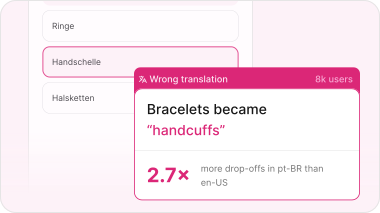
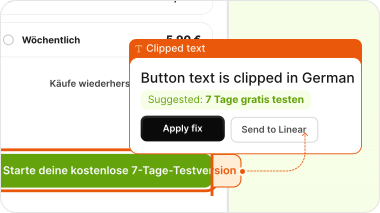
 Findings
Spot where users struggle and the workarounds they find, pinned to the exact screen.
 Diff
Diff checks affected screens and flows for changes, unexpected behavior and regressions.
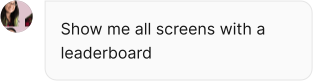

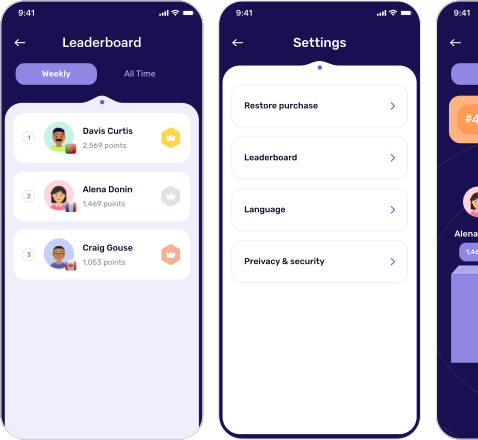
Next time someone asks “which screen or a flow”, send a link instead of a screenshot.
Map your app for freeManifest is a living map of your mobile app. Upload a build and it explores the app for you, capturing every screen, state, variant and locale, and how they connect into flows.
Every screen gets its own link, so product, design, engineering and QA point at the same thing instead of trading screenshots. Your coding agent uses the same map over MCP: it gets the screen, its states, the route to it and, once you connect a repository, the code behind it.
Each new build updates the map, so you can see what changed between versions, across languages and against your Figma designs. Findings and Diff build on it, pinning real-user behaviour and pre-merge checks to the exact screens they affect.
An iOS or Android debug build, uploaded as an .ipa or .apk file. If your app requires sign-in, provide a test account so Manifest can explore those areas.
No. Manifest maps your app from the build itself. Connect a repository later if you want each screen linked to the files and components behind it.
Manifest maps every screen, state and variant it can reach in the build. Areas behind sign-in are included when you provide a test account.
As soon as the first screens are mapped. The rest of the map fills in while Manifest keeps exploring.
Yes. Point it at the flows that matter most, or leave out areas you don’t want it to explore.
No. A build gives you the map. Real-user behavior comes from Findings, which watches real sessions and pins what it finds to the screens on your map.
Upload each new build, or let Diff run the build from every pull request, and the map shows what changed between versions.
Yes. Share a link to any screen, state or flow, or hand it to a coding agent with the screen, its states and the route to it.
Only the people you invite. You choose when to share a public link to a screen or flow.